


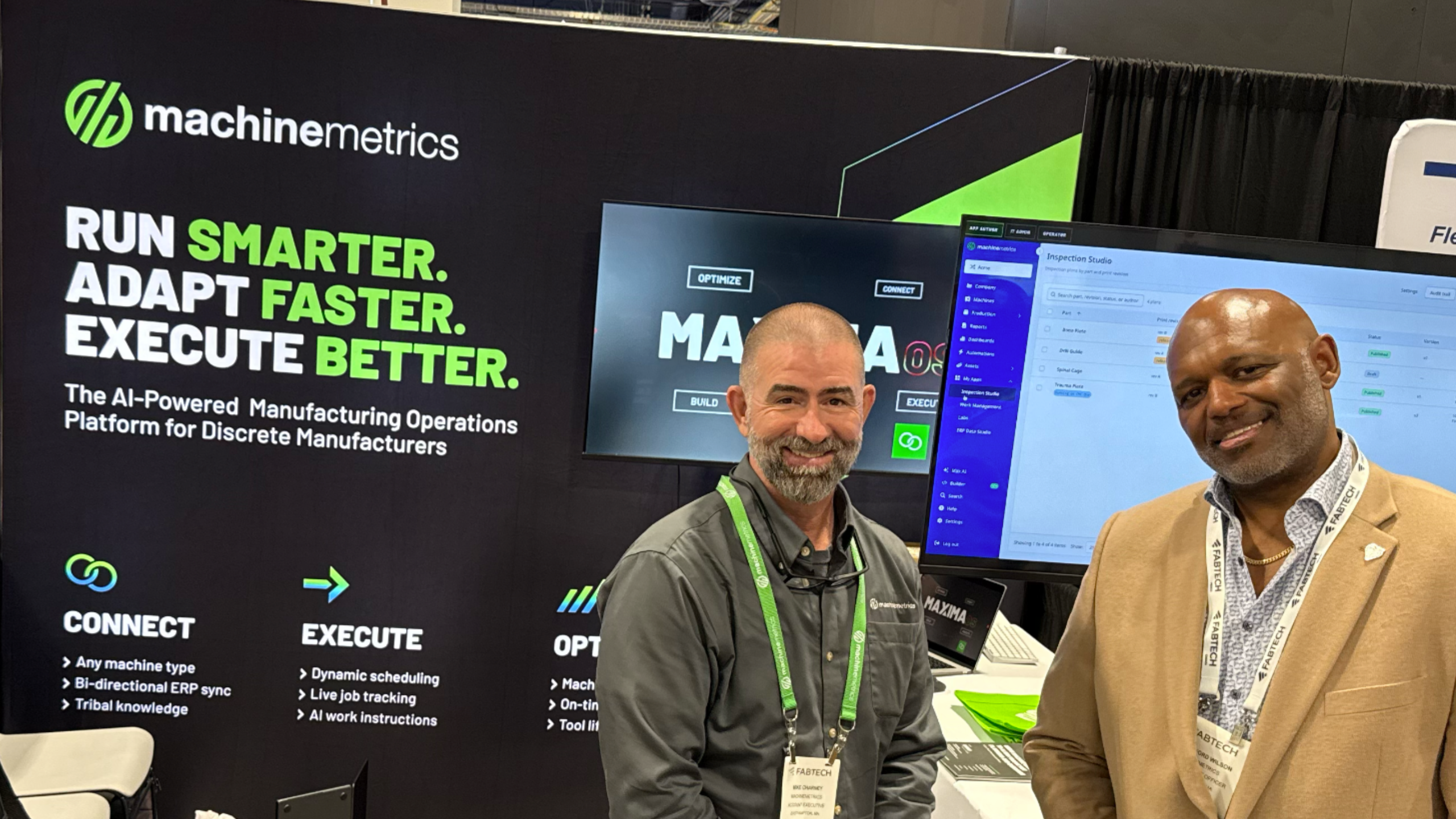
Rutherford Wilson, our Chief Product Officer, started his FABTECH session the way he starts most of them: by asking the room a question. Who here uses an AI tool as part of their job? Almost every hand went up. What do you use it for? Spreadsheets, someone said. Reports. One shop had wired it into their CRM. Someone in the back called it a glorified search engine, which got a laugh.
Nobody said production.
That was the show for us in one exchange. We spent three days in Las Vegas (October 21 - 23, booth S39017) talking to fabricators who are clearly comfortable with AI and have no way to point it at the work that actually makes them money. Rutherford's session was about closing that gap, and it was also the first public look at what's coming next for Carbide. Here's what we took away.
How manufacturers turn tribal knowledge into working software
If you want the process without the story, here it is. Start with one thing that lives in someone's head: how to clear a particular fault, which machine a part runs best on, whether a four-day job is actually on pace. Make sure the machine and ERP data that the decision depends on is connected. Describe the workflow in plain language to a build agent that checks it against real production history. Deploy the app where the work happens, let the people who use it refine it, and move on to the next one. Every app you build adds data the next one can draw on.
A quick note on names, because we use three and they are not interchangeable. MaximaOS is the platform: the AI-powered manufacturing operations platform from MachineMetrics that connects your machines and business systems and runs the core MES functions (scheduling, work order management, job tracking, downtime and OEE). Max AI is the AI built into it. Carbide is the app builder inside the Build layer of MaximaOS. Carbide for developers, which connects the MachineMetrics MCP to Claude Code or Cursor, has been out since September. The in-browser version, where you describe the app to Max, and Max builds it, ships in mid-December and is what we previewed at the show.
Fabricators are using AI in the office, not on the floor
The show of hands set the pattern, and three days at the booth confirmed it. These are not people who are afraid of AI. They use it every day. It just has no idea what is happening on their floor, because it can't see the machines, the jobs, or the ERP. A few things came up in nearly every conversation:
- The ERP has the plan. Nobody has the shift. Shops know what was supposed to happen. What they can't see, while it is still fixable, is whether it is happening.
- Nobody wants to build from scratch. We heard this a lot. People want something that works on day one and bends to how their shop runs, not a toolkit and a six-month integration project.
- Fabrication has a bigger gap than machining. Walk the machining side of a show, and most shops have something between the ERP and the floor. Walk FABTECH, and far fewer do. The gap is wider, and so is the appetite to close it.
Tribal knowledge needs production context, not just documentation
Rutherford told a story about one of our customers in the UK. Third shift, a fault alarm comes up that nobody on shift has seen before. The one person who knows how to clear it is at home asleep. It turns out the fault had come up before and been solved before. Nobody wrote it down. They lost a full shift across three machines.
The obvious lesson is "write it down," but a page in a binder would not have reached that operator at 2 a.m. either. Knowledge is only useful when it shows up attached to the thing it applies to: this fault, on this machine, for this job. That is what connecting machine data and ERP context in MaximaOS gives you. Run your jobs and the system learns how your shop actually works, as a byproduct. The stuff that lives nowhere else goes into Knowledge Hub, and Max AI can surface it for whoever is standing at the machine, on whatever shift.
Machine data makes tribal knowledge testable
Rutherford asked a second question: who knows their utilization rate? No hands this time. Across roughly 100,000 machines we have connected over the last decade, the average shop runs at 26.8%. Top performers are around 85%. Most shops are measuring by having an operator write "down three hours" on a sheet, when the machine was really down four, and two of those hours were a fault the controller already knew about.
Real machine data does more than settle arguments about downtime. It lets you check whether the things everyone "knows" are actually true. One of our customers runs multi-day jobs on Swiss machines, and their planner had lost any sense of whether a job was ahead or behind until it was done. They built a job pacing app in Carbide. The first thing it flagged was a job running slow on a machine where someone had tested a new part, left the feed rate override at 25%, and walked off to tend three other machines. The machine had been quietly running at a quarter speed. Nobody on the floor caught it. The data did.
Shop floor software has to handle exceptions
You find out the difference between documenting a process and building software for it the first time the process doesn't go to plan. Rutherford walked through an in-process inspection app built in Carbide against a customer's spec. The first version took about 20 minutes. Partway through, the customer decided they wanted photos of the feature being inspected, so photos went in. Then came the part that actually mattered: making data entry easier. Nominal values pre-fill from the inspection criteria in Knowledge Hub. If the reading matches, one tap. If it drifted, type the last two digits. If it's the same as last time, tap "same as last." Another 20 minutes, and they had a working app before the end of the day. The photos and the shortcuts came up while it was being built, not before. That’s the point.
What MachineMetrics showed and discussed at FABTECH 2026 (and what is still on the roadmap)
| Example | What went in | What came out | Build time | Status |
|---|---|---|---|---|
| In-process inspection app | Customer spec; inspection criteria in Knowledge Hub; photos | Operator screen with pre-filled nominals and one-tap confirm | About 20 minutes plus a 20-minute refinement | Built in Carbide; working application same day |
| Job pacing app, Swiss machines | A planner's description of the problem; machine and job data | Ahead/behind view by days, click-through to cause, notifications | About 30 minutes | Built in Carbide for a customer |
| Carbide for developers | A description of the workflow, through an MCP server that connects AI agents to the platform, with an agent plugin starting with Claude Code | A working application inside MaximaOS, on the screens operators already use, with the same users and permissions as the rest of the platform | Hours | Available today, launched in September 2026 |
| Carbide in-browser build (CarbideML) | Plain language description; machine, ERP and Knowledge Hub data | Deployable app in My Apps, dashboards or operator screens | Minutes | Available mid-December 2026 |
| Secure data from other IT systems | REST API calls through approved connections | Apps combining MachineMetrics data with other systems | Not applicable | Discussed; planned early 2027 |
Rutherford also described an automotive supplier where a machine learning model on high-speed FANUC data flagged anomalies in tool load. They expected tool breaks. What they found was bad incoming material. When the model sees an anomaly, MachineMetrics triggers a program the customer wrote that safely stops the machine and notifies the team.
One more data point. One manufacturer built seven apps within five working days of getting access, covering shift handoffs, downtime, production reviews, quoting and material tracking. Rutherford's way of describing this is to treat applications like documents. You change the description, the platform rebuilds the app, and every version is kept. Build one for a problem you have today and throw it away when it's solved.
Is AI-built shop floor software secure?
It’s the right question to ask, and the answer starts with how the apps are built. Veracode’s 2025 GenAI Code Security Report tested more than 100 AI models on 80 coding tasks and found the generated code failed security tests in 45% of cases. Fast code is not automatically secure code, and every new codebase is another thing to review, patch and maintain.
Carbide doesn’t write new application code. You describe what you need, and MaximaOS assembles it from manufacturing components our engineers built and tested. Google’s A2UI follows the same principle for AI-generated interfaces: Google warns that “running arbitrary code generated by an LLM may present a significant security risk,” so A2UI lets agents request trusted, pre-approved components instead. Carbide applies that same approach to the apps your team builds in the browser.
So there is no code to review, no API key sitting in a prompt, no password waiting to be discovered. If an app needs to store data, Carbide creates the schema and adds an audit trail by default. Apps run inside MaximaOS and can only reach the connections you’ve approved. They can’t call or send your data to outside systems. MachineMetrics runs annual penetration testing and is ISO 27001-certified, meaning all Carbide components have undergone a full software development process with reviews and controls. And your developers can still build with their own AI tools. MachineMetrics validates and hosts those apps the same way it does apps built with Max.
Watch the full session: MachineMetrics CPO Rutherford Wilson at FABTECH 2026.
What's next for Carbide, the app builder in MaximaOS
For as long as there has been manufacturing software, you have had two options. Buy something off the shelf and bend your process to fit it, or pay someone to build exactly what you need and watch it stop evolving the day they hand it over. Most shops bought, and the gaps turned into spreadsheets, whiteboards and travelers. AI takes that trade-off off the table. Here's what comes next:
- Describe it. Save it. Run it. In mid-December, the Carbide build experience ships inside MaximaOS. You describe the app in plain language. The Max AI build agent pushes back: ask for a scrap tracker and it asks which scrap costs most, where to start, and who should act when scrap spikes. It checks your plan against your data and tells you when there isn’t enough history to trust a trend. Save it and it builds. Your approver decides who can use it.
- Built from manufacturing parts. More than 80 components made for the shop floor, with more on the way: setup sheets, work instructions, checklists, inspections, supervisor task boards, shift handoffs, scrap and yield reports, quoting tools. A lot of them never touch machine data at all.
- Context from day one. Apps draw on a knowledge graph that already links machine data, ERP records (15 ERP systems today), and whatever you put in Knowledge Hub. More business-system connections are planned for early 2027.
- More to build with. More building blocks, more connections, and workflows Carbide generates for you. The people who know the work will build the software that runs it.
Frequently asked questions
How can manufacturers capture tribal knowledge?
Attach it to the context it belongs to instead of filing it somewhere. Running jobs in MaximaOS captures how the shop runs on its own. The know-how that lives nowhere else goes into Knowledge Hub, where Max AI can surface it on the job that needs it.
What is the difference between documenting a process and building working software for it?
A document describes the happy path. Working software handles the exceptions, runs where the work happens, and records what people actually did, so the next version is better than the last one.
Is Carbide available today?
Yes. Carbide for developers has been in early release since September 2026: an MCP server that connects AI agents to the platform, a library of manufacturing UI components, and an agent plugin starting with Claude Code. Your team describes the workflow and gets back a working application inside MaximaOS, on the screens your operators already use. The Carbide Design System, the 80+ manufacturing components apps are built from, is available now.
The in-browser builder arrives in mid-December 2026. That is where anyone who knows the process, not just developers, describes the app in plain language to the Max AI build agent, and Carbide builds it. Every app is written in CarbideML underneath, whether Max writes it or your team does, and MachineMetrics validates and hosts both the same way.
Why does manufacturing AI need machine data and ERP context?
A cycle time means nothing without the part, program and order it belongs to. 60% utilization is good or bad depending on how much work is in the building and when it's due. General-purpose AI has neither piece of context, which is why the fabricators we met use it for spreadsheets and not for production.
How should a plant validate an AI-built application?
Build it against real production history, not sample data (the Carbide build agent will tell you when the history is thin). Put it in front of the people who will use it and refine it there. The inspection app picked up its shortcuts in a second session. And before it goes live, confirm what it can access.
Bring us a process. Leave with an app.
If there's a spreadsheet your team rebuilds every Monday, a handoff that loses something between shifts, or a question about the floor you can't answer without walking out there, bring it to us. Request a working session, and we'll turn it into an app on your own data.