


There’s no shortage of data on the modern shop floor. The problem is getting the right information to the right people - with the right context to make a difference.
Supervisors walk the floor to check on machines. Operators rely on paperwork to see what job is next. Production planners and schedulers constantly follow up to understand where jobs stand and what’s holding them up. And even with ERP systems and machine monitoring in place, many teams still lack a clear, real-time picture of production.
MachineMetrics solves this problem by integrating machine, operator, and ERP data into out-of-the-box and configurable reports, dashboards, and workflows.
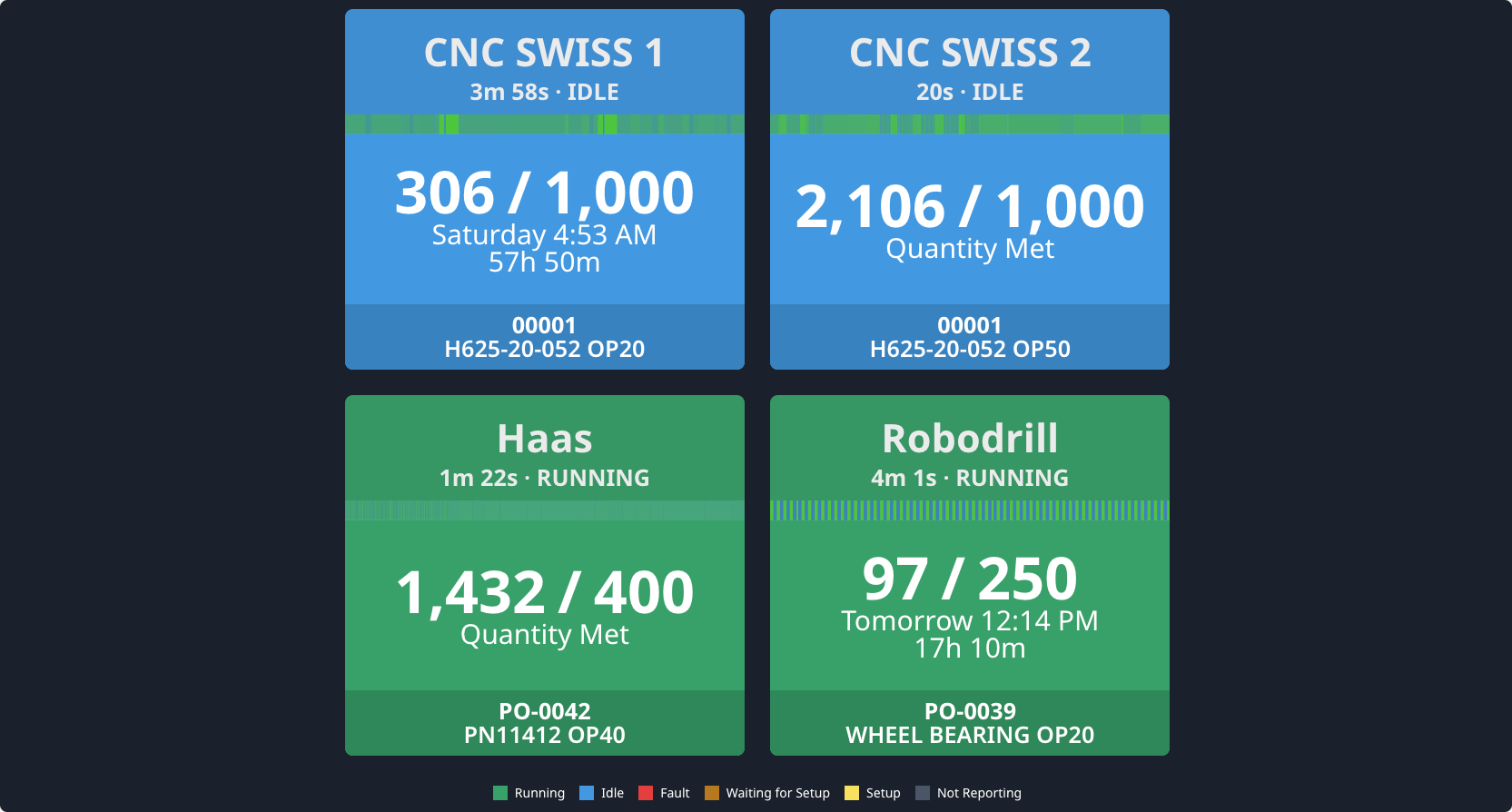
The MachineMetrics Production Order Dashboard is one of many features that helps to address this visibility gap with a simple, at-a-glance interface that brings together the essential data from your machines, work orders, and production counts so everyone stays on the same page.
The Production Order Dashboard provides a live view of every machine on your floor, showing:
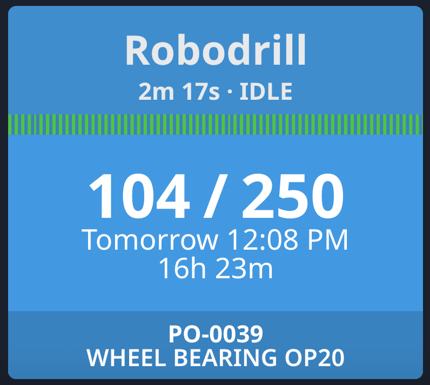
- Machine status (Running, Idle, Setup, Fault, Not Reporting)
- Current work order and part number
- Parts produced vs. target
- Run duration and current machine state
- What job is scheduled next for each machine
Here is an example of a tile from the Production Order Dashboard:
A Better Way to Stay Aligned
Instead of chasing updates across spreadsheets, ERP terminals, and by walking across the shop floor, teams can use the dashboard to:
- Spot idle machines and intervene quickly
- Track job progress without needing paper travelers
- See what’s coming next and prepare for smooth changeovers
- Coordinate across shifts with shared visibility
Built for the Shop Floor
The Production Order Dashboard is designed for use where it’s needed most: right on the shop floor. With large-format display support and a clean, visual layout, it gives operators, supervisors, and managers immediate clarity.
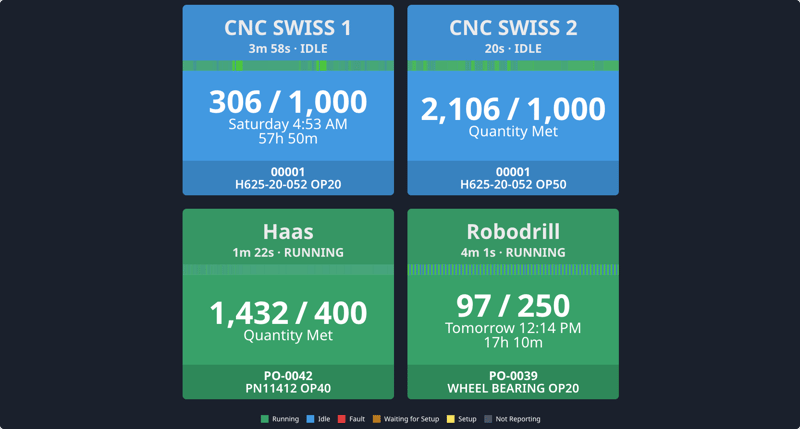 The MachineMetrics Production Order Dashboard.